
YouTube Comments Scraper 2026: 6 Real Methods, Compared on What You Actually Get Back

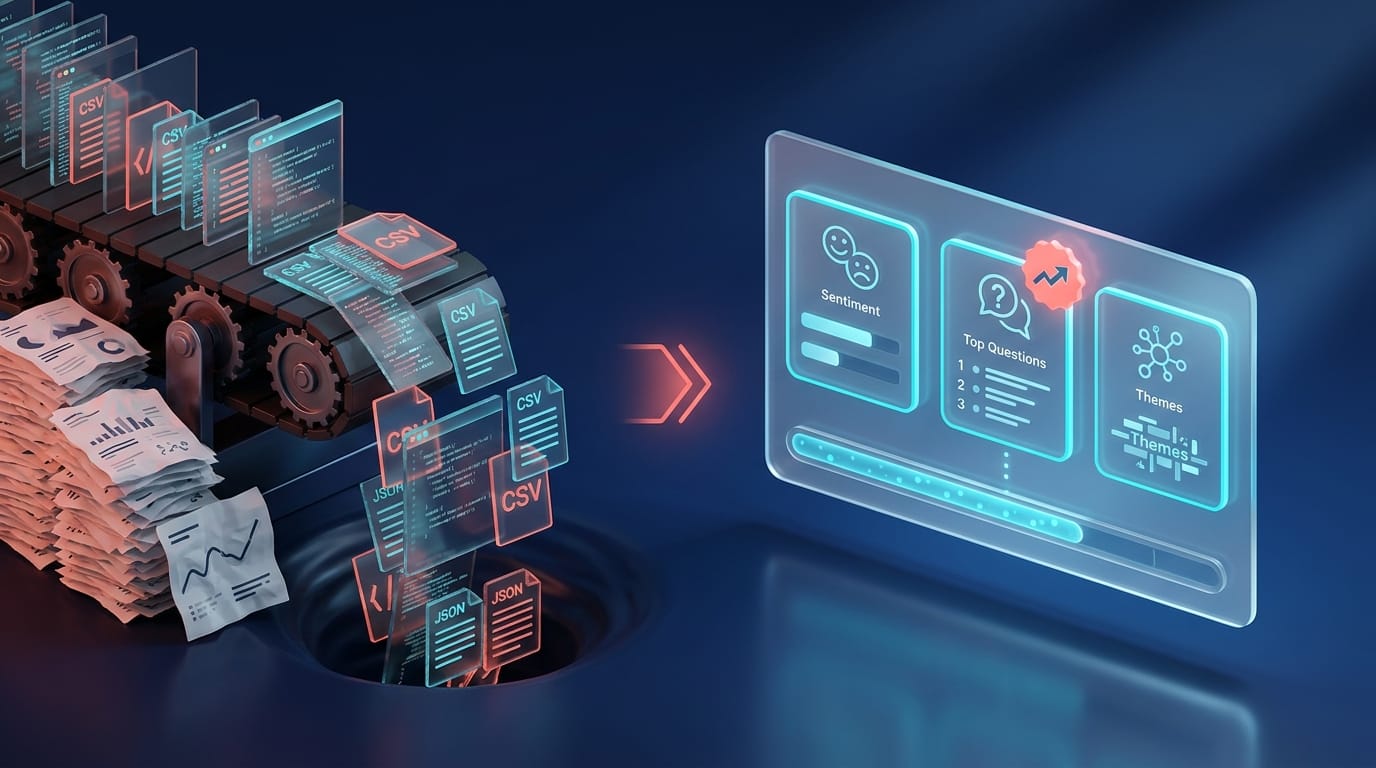
A YouTube comments scraper extracts comments from videos or channels at scale. The six practical options in 2026 are (1) the free Python tool youtube-comment-downloader, (2) yt-dlp --write-comments, (3) hosted no-code actors like Apify, (4) SaaS exporters like ExportComments.com, (5) Chrome extensions for one-off pulls, and (6) the official YouTube Data API. They all hand back the same thing — raw JSON or CSV. If you searched "scraper" because you actually want to read what a competitor's audience is asking, you don't want a scraper. You want YouTube comment intelligence — the haystack already sorted into needles. Spy Mode does that: paste any public channel at onetube.io/audit, get a Pulse Report by email. No code, no actor config, no quota math.
Why people search for "YouTube comments scraper"
Looking at the top ten ranking pages for the term, four jobs come up over and over:
- Competitive research. Marketers and creators pulling thousands of comments from a rival channel to see what their audience is actually saying. This is the largest single bucket and the one with the most disappointment afterwards — the JSON file alone doesn't answer anything.
- Developer pipelines. Engineers building ingestion for their own product, research project, or OSINT workflow. They want raw text and they'll do the analysis layer themselves.
- One-off light export from a single video. Creators running a giveaway draw, journalists grabbing a discussion thread for a story, moderators looking through one viral comment section.
- Comparison shopping. Buyers reading "3 methods compared" posts to figure out whether to write a Python script, pay Apify, or use a Chrome extension.
"If your competitor has 200 comments asking variations of 'but how does this work for small businesses?' — and they're not making that video — you are."
That's the move bucket 1 is reaching for. Enterprise listening suites — Brandwatch, Sprout, Talkwalker — were built to track mentions across Twitter, Reddit, forums, news. YouTube comments are a checkbox feature on their roadmap, not the product. Their crawlers don't go below the video frame at the depth a dedicated YouTube tool does. So you end up Googling "scraper" instead.
The thing is — once you have 50,000 raw comments in a CSV, you still have a 50,000-row reading problem.
The 6 real methods in 2026
Method 1 — youtube-comment-downloader (free Python, egbertbouman)
The classic. A single-purpose Python package that pulls comments via YouTube's public HTML and AJAX endpoints, no API key required. Latest release v0.1.78 (August 2025), MIT-licensed, still active.
- Install:
pip install youtube-comment-downloader - Output: line-delimited JSON, or pretty-printed with
--pretty - Flags:
--limit,--language,--sort top/recent - Cost: free
- Best for: engineers prototyping ingestion, OSINT researchers
- Catch: rate-limited by YouTube's web layer. Pull too aggressively from one IP and you'll be throttled. No SLA, no support.
Method 2 — yt-dlp --write-comments
If you're already using yt-dlp for video downloads, the --write-comments flag (alias --get-comments) bolts comments onto the same workflow. They land inside the .info.json sidecar file next to the video metadata.
- Tunables:
max_comments=<max,max_parents,max_replies,max_replies_per_thread,max_depth>,comment_sort=top|new - Cost: free
- Best for: pipelines that already lean on yt-dlp
- Catch: can take several minutes on high-volume videos — yt-dlp pages through comment threads sequentially, not in parallel.
Method 3 — Apify YouTube Comments Scraper
Apify hosts the canonical streamers/youtube-comments-scraper actor, plus several community variants (happitap, apidojo, others). You paste URLs into a form, click run, get JSON / CSV / Excel / HTML / XML back. No code, no API key.
- Pricing (canonical actor, mid-2026): $0.90 per 1,000 comments. Community variants run $0.30–$0.50 per 1k. Apify Business plan brings volume discounts down to roughly $0.25 per 1k.
- Extras: small compute-unit charge per run (typically under one cent)
- Best for: marketing teams or analysts doing one-off bulk pulls without writing code
- Catch: still raw data out. You spent $90 to get 100K rows of unsorted text.
Method 4 — ExportComments.com
A hosted multi-platform exporter — YouTube, Instagram, Facebook, TikTok all under one dashboard. Paste a URL, get a download link.
- Free tier: 100 comments per export
- Personal: 5,000 per export
- Premium $45/mo: 50,000 per export, plus scheduled re-runs (hourly / daily / weekly)
- Business $199/mo: 250,000 per export, plus a JSON-over-HTTP API
- Best for: marketing teams who want a UI and don't want to deal with actors or Python
- Catch: still CSV out. Schedulable, but the output is a spreadsheet, not an answer.
Method 5 — Chrome extensions ("Comment Picker" family)
YouTube Comment Picker, Comment Exporter for YouTube, EasyComment, YouTube Comment Reader — all live on the Chrome Web Store. They open in your browser, auto-scroll the comment pane, and export CSV / JSON / TXT.
- Cost: free or freemium
- Best for: single-video one-offs. Giveaway draws are the canonical use case.
- Catch: bounded by your browser session. Not viable for more than a few thousand comments per video, and impossible across multiple videos at once.
Method 6 — YouTube Data API v3 (commentThreads.list)
The official path. Google's own endpoint, blessed by YouTube, audited for compliance.
- Cost per call: 1 quota unit
- Max comments per call: 100 (one page of a comment thread)
- Default daily quota: 10,000 units per project — enough for around one million comments per day in raw throughput, before replies
- Replies require separate calls to
comments.list - Best for: building your own product, where the API is going to be a long-running dependency
- Catch: quota extensions require a YouTube compliance audit. Denials cite ToS. And you still need a developer to wire it up.
The option that isn't a scraper — OneTube Spy Mode
The six methods above all hand back the same thing: raw text in a JSON or CSV file. Spy Mode hands back the structured intel you were going to extract from that raw text anyway. That's why it sits outside the scraper list, not inside it.
- What you do: paste any public YouTube channel URL at onetube.io/audit
- What you get: a Pulse Report by email — sentiment trends, intent classification, recurring questions the audience keeps asking, theme clustering, brand and sponsor mentions surfaced from the comment section
- No code, no actor config, no quota math, no rate-limit babysitting
- Cost: $0 for the audit. 7-day trial covers Pulse Reports across up to 5 channels. No card to start.
- Best for: anyone who searched "scraper" because they wanted to read what a rival's audience is asking — without the 50,000-row reading problem
Spy Mode is read-only intelligence. It surfaces signal from public comment sections; YouTube Studio remains the place where you moderate or reply on channels you own. We don't touch other people's channels in any write capacity, ever.
Side-by-side comparison
| Method | Output | Cost | No-code | Continuous monitoring | What you get |
|---|---|---|---|---|---|
| youtube-comment-downloader | JSON | Free | No | No | Raw text |
| yt-dlp --write-comments | JSON in .info.json | Free | No | No | Raw text |
| Apify YouTube Comments Scraper | JSON / CSV / Excel | ~$0.90 per 1,000 | Yes | Scheduled (Apify scheduler) | Raw text |
| ExportComments.com | CSV / JSON | $45–$199/mo | Yes | Yes (Premium+) | Raw text |
| Chrome extensions | CSV / JSON / TXT | Free / freemium | Yes | No | Raw text, single video |
| YouTube Data API v3 | JSON | Free (10K units/day) | No (dev required) | Build it yourself | Raw text |
| OneTube Spy Mode | Pulse Report (email) | $0 audit · $9+/mo plans | Yes | Yes (Pulse on schedule) | Structured intel |
AI audit of any YouTube channel
Drop a competitor's URL. In 5–15 minutes, get the full breakdown of what's working, what's broken, and exactly what to film next.
- 🎯Their content ideasVideos their audience keeps asking for that they never made
- ⚠️Their weak spotsExact topics and formats where viewers tune out or push back
- 💬Audience questionsStraight from their comment section — your next 10 scripts
- 📋A ready content planRanked backlog of what to film next, pulled from real demand signal
- 🔥Their superfansWho's emotionally invested in the channel and what gets them to talk
Just a URL and an email. Report lands in your inbox.
Is scraping YouTube comments legal in 2026? The honest answer
This section is where most "scraper" posts get cute. Here's the real picture.
YouTube's Terms of Service (Section 4) prohibit accessing the service using any automated means — "robots, botnets, or scrapers" — except in three cases: (a) public search engines following YouTube's robots.txt, (b) with YouTube's prior written permission, or (c) as permitted by applicable law. The YouTube API Services Developer Policies go further: they bar API clients from scraping or from using already-scraped YouTube data. Quota extensions require a compliance audit, and denials cite ToS as the reason.
The hiQ Labs v. LinkedIn case is the one that gets cited as "scraping public data is legal." The actual record is messier. The Ninth Circuit narrowed the Computer Fraud and Abuse Act for public-web scraping in 2022. But the case ended in December 2022 with a $500,000 stipulated judgment against hiQ after the district court found that hiQ had breached LinkedIn's User Agreement. Translation: the criminal-law theory got narrower; the contract-law theory still won. Don't bet your company on "it's just public data."
What enforcement actually looks like in practice for YouTube comments: rate-limiting, IP blocks at the web layer, and API project quota revocation after compliance audits. No publicly reported YouTube-initiated lawsuit against a comment scraper in 2024–2026 has surfaced in news searches — though "no public news" is not the same as "no enforcement."
The clean path: use the official YouTube Data API, or use a tool that does. OneTube reads public channel data through the official API and never writes to channels you don't own — which is why the legal section, when our customers' legal teams ask, fits on a Slack message.
Which method fits which job
- Building a product or research pipeline → YouTube Data API. The 10,000 units per day default quota covers around a million raw comments per day before replies. Apply for an extension when you outgrow it.
- One-off bulk pull, no developer on hand → Apify or ExportComments. Apify is cheaper at scale; ExportComments has the friendlier UI and built-in scheduling.
- Single-video export for a giveaway, draw, or quick read → a Chrome extension. Don't overthink it.
- Prototype or OSINT side project →
youtube-comment-downloaderoryt-dlp --write-comments. Both free, both still maintained, both yours to maintain. - Reading what a competitor's audience is asking, weekly, without code → OneTube Spy Mode. This is the buyer who already gave up on building the pipeline.
Spy Mode is for people who realized halfway through writing the scraper that the scraper isn't the hard part. Tagging 200,000 comments by intent, clustering them by theme, finding the three questions the audience keeps asking that the creator hasn't answered yet — that's the hard part. Spy Mode does that part.
What you actually need depends on what you're doing
Scrapers give you the haystack. Spy Mode hands you the needles already sorted.
Both are valid endings to the same search. If the answer to "why am I scraping these comments" is "to build something custom on top of them," you want the API. If the answer is "to understand what a competitor's audience is asking for so I can make a better video about it," you want Spy Mode — and you want to skip the 50,000-row spreadsheet entirely.
FAQ
What is a YouTube comments scraper?
A YouTube comments scraper is software that pulls comments from YouTube videos or channels in bulk and exports them as structured data — typically JSON or CSV. Methods range from free Python scripts to hosted no-code platforms to the official YouTube Data API.
Is scraping YouTube comments legal in 2026?
YouTube's Terms of Service prohibit automated access except via approved methods (the YouTube Data API, robots.txt-following search engines, or with written permission). The hiQ Labs v. LinkedIn case narrowed the criminal-law theory around public-web scraping but ended with a $500K judgment against hiQ on contract grounds in December 2022. The safe path is the official YouTube Data API.
What's the best free YouTube comments scraper?
For developers, youtube-comment-downloader (egbertbouman, MIT, last updated August 2025) is the most direct free option. For pipelines already using yt-dlp, the --write-comments flag is built in. Both are free, both still maintained, neither does any analysis — you get raw JSON.
What's the difference between scraping and Spy Mode?
A scraper outputs raw comment text — JSON or CSV. Spy Mode outputs structured intelligence: sentiment, intent classification, recurring questions, theme clusters, brand mentions. The scraper is the haystack; Spy Mode is the needles already sorted. Spy Mode also reads through the official YouTube Data API rather than browser-layer scraping, so there's no rate-limit babysitting.
Can I scrape comments from a channel I don't own?
Public comments on public videos are visible to anyone with the URL. Reading them programmatically — via scraping or the official API — is a separate question from visibility. The YouTube ToS restricts automated access; the practical risk is throttling, IP blocks, or API quota revocation rather than legal action. Spy Mode reads public channels through the official API, which is the cleanest path.
Does OneTube replace YouTube comments scraper workflows?
For most people searching "scraper," yes — the goal was understanding the comment section, not collecting raw text. Spy Mode gives you the intel directly. For engineers building a product on top of raw comment data, no — keep using the YouTube Data API; that's what it's there for.
What to do next
- Building something custom? Start with the YouTube Data API and budget against the 10,000 unit daily quota.
- One-off pull this week? Apify is the cheapest for bulk. ExportComments is the friendliest UI.
- Reading a rival's audience for content strategy? Skip the scraper. Paste any public channel URL at onetube.io/audit and get the Pulse Report by email. No card, no account needed.
- Tracking multiple channels weekly? The 7-day trial covers Pulse Reports across up to 5 channels. Still no card to start.
Related reads
- YouTube Comment Analyzer in 2026 — the broader category guide covering all the ways to read a comment section at scale
- YouTube Competitor Analysis: the cheapest content brief you'll ever get — Spy Mode applied to competitive research, longer-form
- YouTube Channel Analyzer Free — the free-tier entry point if you're just starting out